 SEO & Accessibility
 AI
AI Localization
 Ecommerce
 Forms
Forms Fields
 Development
 Security
 Templating
 Performance
 Control Panel
 Widgets
 Assets
 Utilities
 Mailer Adapters
 Social Networking
 Integrations

Eat
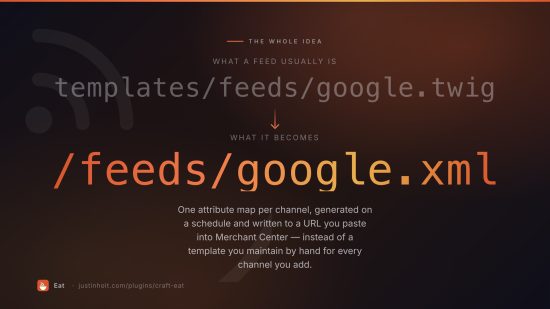
Product feeds for Craft Commerce. Point a merchant channel at a URL and stop hand-writing Twig.
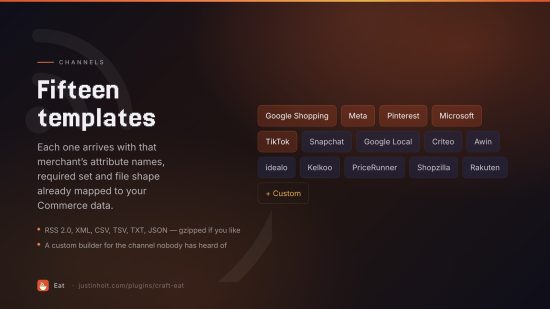
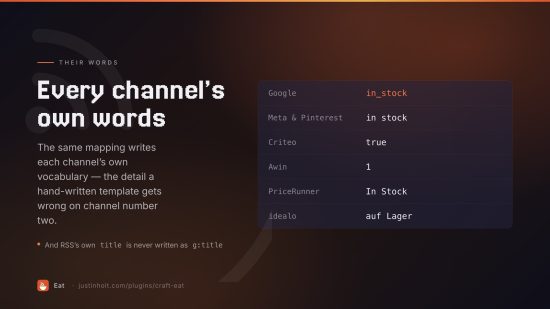
Eat turns your Commerce catalogue into the file Google, Meta, Pinterest, Microsoft, TikTok and a dozen other channels expect: their attribute names, their required fields, their vocabulary for "in stock", in RSS, XML, CSV, TSV or JSON, regenerated on a schedule and delivered wherever the channel wants it.
- Lite — free. Two feeds, the Google and Meta channels, every format, scheduled regeneration, a public feed URL.
- Pro — $79. Every channel plus a custom template builder, output modifiers, condition-builder matching, taxonomy mapping, the run log, live URLs, asset volume / FTP / SFTP delivery, Google Merchant Center Content API push, and the console commands.
Requirements
Craft CMS 5.3+, Craft Commerce 5.0+, PHP 8.2+. SFTP delivery additionally needs
phpseclib/phpseclib ^3.0; FTP delivery needs PHP's ftp extension.
Installation
composer require justinholtweb/craft-eat
php craft plugin/install eat
Channels
| Channel | Default format | Notes |
|---|---|---|
| Google Shopping | RSS 2.0 | Merchant Center primary feed, g: namespace |
| Google Local Inventory | CSV | Per-store availability and price |
| Meta (Facebook & Instagram) | CSV | Commerce Manager catalog |
| RSS 2.0 | Catalogs data source | |
| Microsoft (Bing) Shopping | TSV | Microsoft Merchant Center |
| TikTok | CSV | sku_id rather than id |
| Snapchat | CSV | Snapchat Catalogs |
| Criteo | XML | <products><product>, instock as true/false |
| Awin | CSV | Affiliate datafeed columns |
| idealo | CSV | German vocabulary out of the box |
| Kelkoo | XML | Hyphenated element names |
| PriceRunner | TSV | Title-case column names |
| Shopzilla / Connexity | TSV | |
| Rakuten Advertising | TSV | |
| Custom | CSV | Name every column or element yourself |
Each channel arrives with its attributes already mapped to the Commerce data they almost certainly
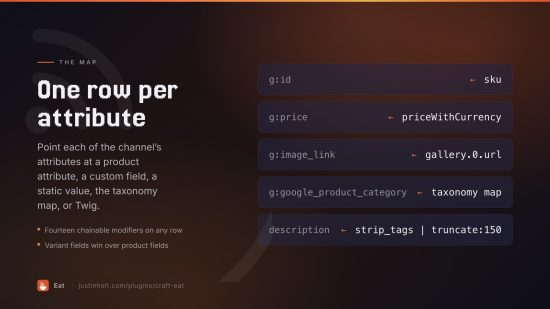
mean — g:id to the variant SKU, g:price to the catalogue price with a currency code,
g:availability to the stock state in that channel's wording.
Quick start
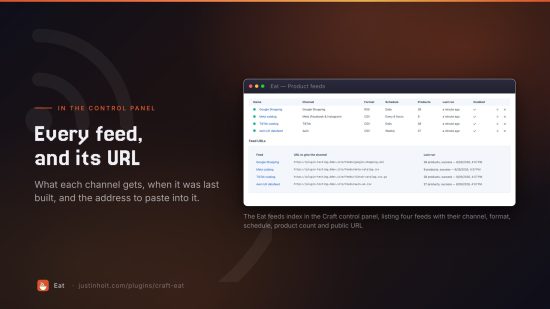
- Eat → Feeds → New feed. Name it, pick the channel and format.
- Products. Choose product types and statuses; optionally require an image or a price, exclude SKUs with wildcards, or (Pro) match with Craft's condition builder.
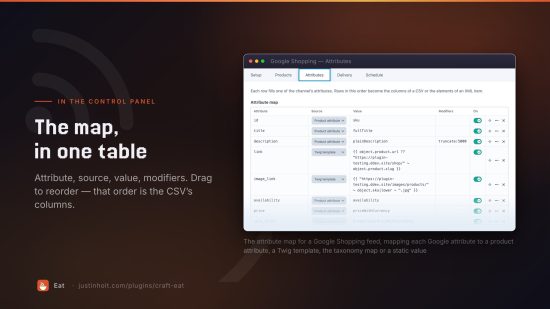
- Attributes. The channel's attributes are already listed. Point anything still empty at a custom field, a static value or the taxonomy map.
- Delivery. Leave it on "write a file" and copy the URL, or push it to a volume, an FTP/SFTP server, or Merchant Center directly.
- Schedule. Pick an interval, then run
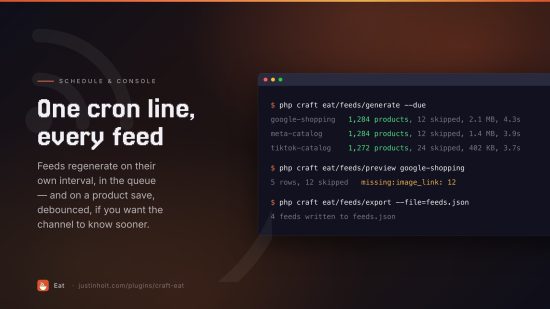
php craft eat/feeds/generate --duefrom cron.
Hit Preview at any point: it runs the same generator the real feed does, so what you see is what the channel gets.
Where values come from
Each row of the attribute map has a source:
| Source | Value column holds |
|---|---|
| Product attribute | one of the names below, e.g. salePriceWithCurrency |
| Custom field | a field handle, optionally with a path: gallery.0.url |
| Static value | the literal text written in every row |
| Taxonomy map | productType, or a field handle to map from |
| Twig template (Pro) | {{ object.product.myField }} — object is the variant |
Variant fields win over product fields, so a variant-level override does what you expect.
Product attributes
sku id productId variantId uid itemGroupId slug · title variantTitle fullTitle
description plainDescription productType productTypeName brand condition status
siteName storeName · url imageUrl additionalImageUrls allImageUrls imageCount ·
price basePrice promotionalPrice salePrice priceWithCurrency
promotionalPriceWithCurrency salePriceWithCurrency currency · availability stock
inStock minQty maxQty variantCount · weight weightWithUnit length width height
dimensions freeShipping shippingCategory taxCategory · dateCreated dateUpdated
postDate expiryDate
Modifiers (Pro)
Chain them with |, arguments after :
strip_tags | collapse_whitespace | truncate:150:…
replace:Ltd:Limited
map:red=Rot|blue=Blau
multiply:1.2 | number:2
strip_tags decode_entities collapse_whitespace truncate prefix suffix replace
regex_replace upper lower ucfirst number multiply map default
Rows
- One row per variant — what Google wants, with
item_group_idtying them together. - One row per product, default variant — for catalogues where variants are sizes nobody advertises separately.
- One row per product, cheapest variant's price — "from $19.99" feeds.
Delivery
| Mode | What happens |
|---|---|
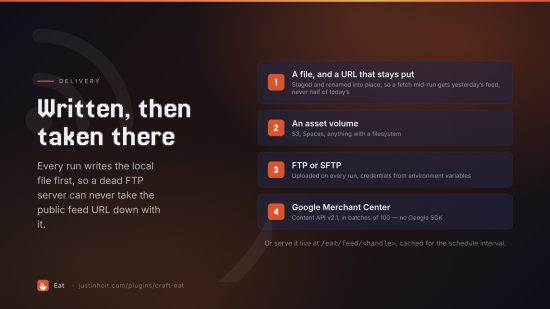
| File | Written under the feed directory, served from a stable public URL. Written to a staging file and renamed into place, so a channel fetching mid-run never gets half a feed. |
| Volume (Pro) | Written into a Craft asset volume — S3, DigitalOcean Spaces, anything with a filesystem. |
| FTP / SFTP (Pro) | Uploaded on every run. Use environment variables for the credentials. |
| Merchant Center (Pro) | Pushed with the Content API v2.1 in batches of 100, authenticated with a service-account key. No Google SDK required. |
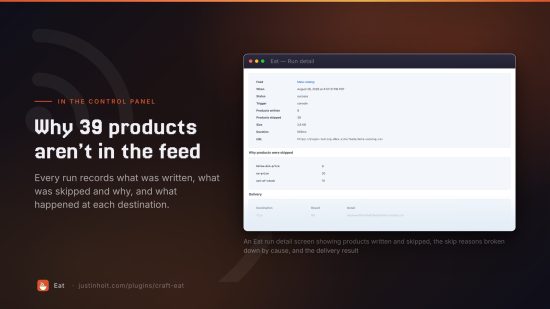
The local file is always written first, so the URL keeps working even when a remote destination is down — and the run log says which half failed.
Feeds can also be served live at /eat/feed/<handle>, generated on request and cached for the
feed's interval.
Scheduling
*/15 * * * * cd /path/to/site && php craft eat/feeds/generate --due
Without cron, leave Schedule from web requests on: after a front-end request Eat queues anything due, throttled to once a minute and guarded by a mutex. Pro feeds can also regenerate when a product is saved — queued and debounced, so resaving a whole section costs one job per feed.
Console
php craft eat/feeds                          # list feeds
php craft eat/feeds/generate <handle>        # generate one
php craft eat/feeds/generate --all           # generate everything
php craft eat/feeds/generate --due           # generate what the schedule says
php craft eat/feeds/generate <handle> --queue
php craft eat/feeds/preview <handle> --limit=5
php craft eat/feeds/export --file=feeds.json
php craft eat/feeds/import feeds.json
php craft eat/runs [handle] --limit=20
php craft eat/runs/prune --days=30
Feeds live in the database, not project config — merchants edit them on production. export and
import move them between environments; importing over a matching handle updates rather than
duplicates.
Twig
{{ craft.eat.url('google') }}                 {# the URL to hand the channel #}
{% set run = craft.eat.lastRun('google') %}
{{ run.itemCount }} products, {{ run.getSizeLabel() }}

{% for item in craft.eat.items('google', 20) %}
    {{ item.title }} — {{ item.price }}
{% endfor %}
Settings
Feed directory, default brand, image transform, queue vs in-request generation, the request scheduler, batch size, live-route toggle and cache duration, and how many runs to keep per feed.
Testing
ddev exec php /var/www/craft-eat/tests/integration/checks.php   # 108 checks
ddev exec bash -c 'cd /var/www/html && bash /var/www/craft-eat/tests/smoke.sh'
License
Proprietary. © Justin Holt.
To install this plugin, copy the command above to your terminal.
This plugin doesn't have any reviews.