 SEO & Accessibility
 AI
AI Localization
 Ecommerce
 Forms
Forms Fields
 Development
 Security
 Templating
 Performance
 Control Panel
 Widgets
 Assets
 Utilities
 Mailer Adapters
 Social Networking
 Integrations

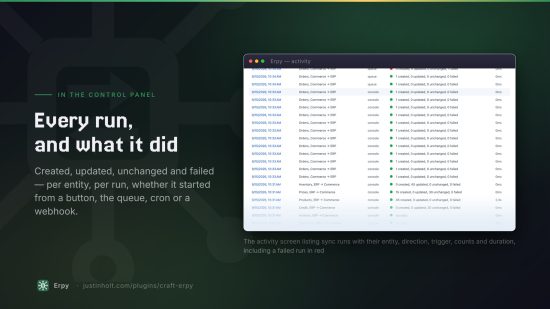
Erpy
The ERP gateway for Craft Commerce. One sync engine, one mapping screen, one log — and a free add-on for every major ERP.
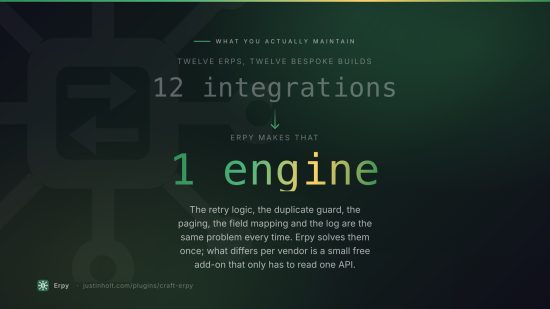
Erpy does the hard part once. Each ERP is a separate free plugin that translates one vendor's API into Erpy's canonical documents; Erpy owns everything that has to be true of all of them. It is the same arrangement Imager-X uses for its transformers, for the same reason: the interesting work is not in any one integration.
- Erpy — $149, $129 to renew.
- Every connector add-on — free.
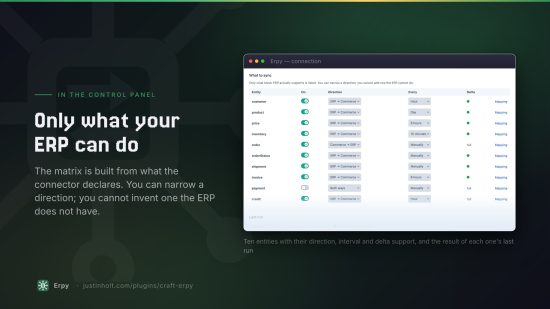
What it syncs
| ERP → Commerce | Commerce → ERP | |
|---|---|---|
| Products | items, descriptions, units, weights, blocked flags | |
| Prices | price lists, customer contracts, quantity breaks, campaign dates | |
| Inventory | on-hand, allocated, available, per warehouse | |
| Customers | accounts, price list, payment terms, tax status | |
| Orders | completed orders, with lines, addresses and shipping | |
| Order status | released, picking, shipped, cancelled | |
| Shipments | partial fulfilments, carriers, tracking numbers | |
| Invoices | posted invoices, balances, due dates | |
| Payments | settlements | captures |
| Credit | limit, balance, open orders, overdue, stop flag |
Why it costs money and the connectors do not
A connector's whole job is to turn one page of an ERP's payloads into canonical documents. It does not queue, retry, page, dedupe, map, log, schedule or write to Commerce — because Erpy does, once, for all of them:
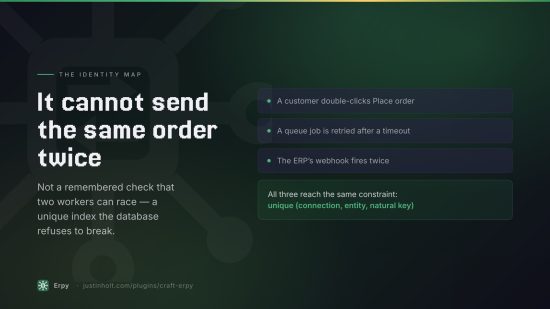
- An identity map with a unique index on both sides of every pairing. That index, not a remembered check, is what stops a retried queue job becoming a second sales order in a warehouse.
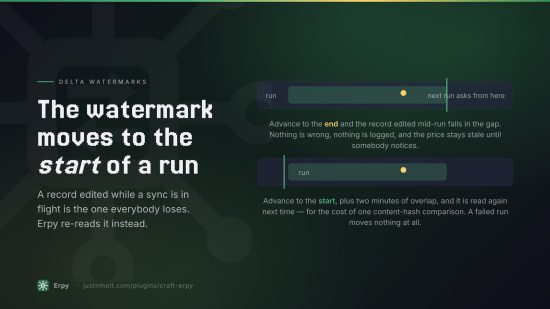
- Delta watermarks that advance to the start of a run, never to the end, so a record modified mid-sync cannot fall into a gap and be missed forever.
- Change detection by content hash, so a nightly 40,000-SKU pull costs one comparison per unchanged record instead of one element save.
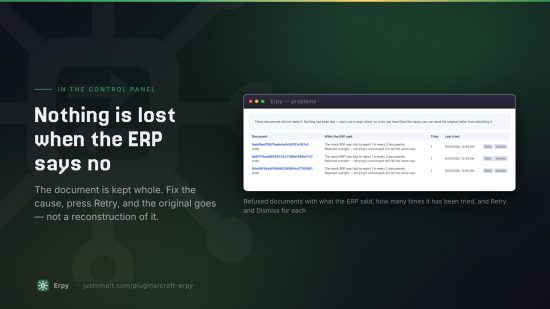
- Dead letters with replay. A document the ERP refused is kept whole. Fix the cause, press retry, and the original goes — rebuilt from Commerce if the order still exists, from the stored copy if it does not.
- A connection log with credentials redacted at the transport, so there is no path a connector could take that would miss it — including error bodies that echo your API key back at you.
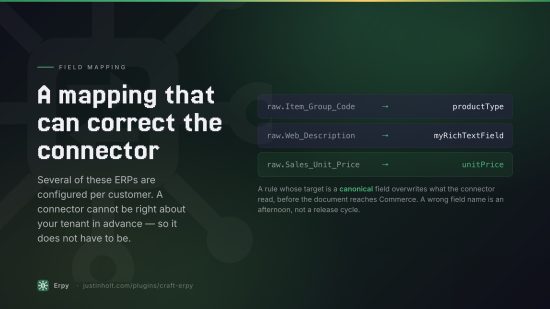
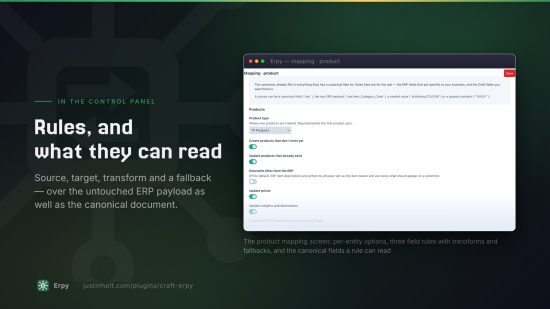
- Field mapping that can correct the connector itself. A rule targeting a canonical field overrides what the connector read, so a wrong field name is an afternoon's fix rather than a bug report.
- Contract pricing resolved at cart time, because a mid-market ERP holds tens of thousands of negotiated price lines and one Commerce pricing rule per line would make catalog price generation the slowest thing on the site.
Connectors
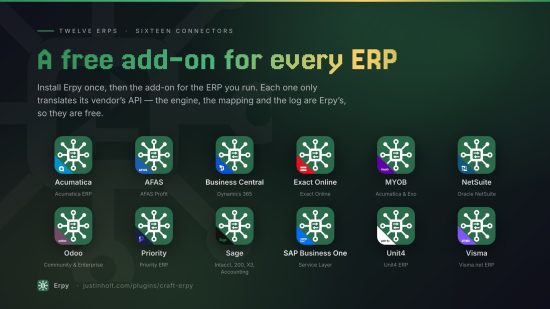
Install the free add-on for your ERP and it appears in the connector list.
| ERP | Package |
|---|---|
| Microsoft Dynamics 365 Business Central | justinholtweb/craft-erpy-businesscentral |
| Oracle NetSuite | justinholtweb/craft-erpy-netsuite |
| Acumatica | justinholtweb/craft-erpy-acumatica |
| SAP Business One | justinholtweb/craft-erpy-sapb1 |
| Sage Intacct, Sage 200, Sage X3, Sage Accounting | justinholtweb/craft-erpy-sage |
| Odoo | justinholtweb/craft-erpy-odoo |
| Exact Online | justinholtweb/craft-erpy-exactonline |
| AFAS Profit | justinholtweb/craft-erpy-afas |
| Visma.net ERP | justinholtweb/craft-erpy-visma |
| MYOB Acumatica, MYOB Exo | justinholtweb/craft-erpy-myob |
| Unit4 ERP | justinholtweb/craft-erpy-unit4 |
| Priority | justinholtweb/craft-erpy-priority |
A Mock ERP connector ships with Erpy itself. It invents deterministic data and makes no network calls, so you can try the mapping and sync screens before buying an ERP licence — and support can use it to prove a problem is in the connector rather than in Erpy.
Installing
composer require justinholtweb/craft-erpy
composer require justinholtweb/craft-erpy-businesscentral   # or whichever ERP you run
php craft plugin/install erpy
php craft plugin/install erpy-businesscentral
Then Erpy → Connections → New connection, pick your ERP, fill in the credentials it asks for, and press Test connection before switching anything on.
Setting up
- Add a connection. Credentials live on the connection, not in project config — a staging site's ERP details must never deploy into production.
- Test it. A failed test names the credential to look at, not the class that threw.
- Choose what to sync, and in which direction. Only what your ERP actually supports is offered; you can narrow a direction, never widen one.
- Map the fields you care about. The connector fills in everything canonical already; rules are for the rest.
- Dry run first. "Preview" reads a page and reports exactly what it would create, update or skip, and changes nothing.
- Switch it on.
Storefront
{# The customer's negotiated price, or null when the ERP has no opinion #}
{% set price = craft.erpy.price(variant, 1) %}

{# The "buy 10 and save" table, for this customer only #}
{% for tier in craft.erpy.priceBreaks(variant) %}
    {{ tier.minQuantity }}+ — {{ tier.unitPrice|commerceCurrency('USD') }}
{% endfor %}

{# B2B account standing #}
{% set account = craft.erpy.account() %}
{% if account and not craft.erpy.canSpend(cart.totalPrice) %}
    <p>This order would take you over your credit limit. Please pay by card.</p>
{% endif %}

{# Has this order reached the ERP? #}
{% set status = craft.erpy.orderStatus(order.number) %}
Cart prices are overridden automatically when contract pricing is switched on — the Twig helpers are for showing the price, not for applying it.
Console
php craft erpy/connections/list          # connections, and whether their add-on is installed
php craft erpy/connections/connectors    # every connector on this site, and what it can do
php craft erpy/connections/test acme     # prove the credentials

php craft erpy/sync/status               # where every connection has got to
php craft erpy/sync/run acme             # everything this connection syncs
php craft erpy/sync/run acme product --full
php craft erpy/sync/due                  # the one to put on cron
php craft erpy/sync/reset acme product   # forget the watermark; next run is a full one

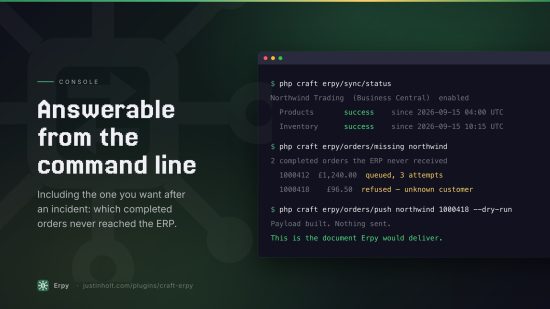
php craft erpy/orders/missing acme       # completed orders the ERP never received
php craft erpy/orders/push acme 1000123
php craft erpy/orders/push acme 1000123 --dry-run   # show the payload, send nothing
php craft erpy/orders/retry acme         # resend everything on the Problems screen
For a large catalogue, run erpy/sync/due from cron rather than relying on the queue: cron has no
request timeout.
Writing a connector
A connector is one class. Register it and it appears everywhere:
Event::on(
    Connectors::class,
    Connectors::EVENT_REGISTER_CONNECTORS,
    static function(RegisterComponentTypesEvent $event) {
        $event->types[] = MyErpConnector::class;
    },
);
class MyErpConnector extends Connector
{
    public static function handle(): string { return 'my-erp'; }
    public static function displayName(): string { return 'My ERP'; }
    public static function vendor(): string { return 'Acme'; }

    public static function capabilities(): Capabilities
    {
        return Capabilities::make()
            ->supports(Entity::PRODUCT, Direction::PULL, delta: true, pageSize: 200)
            ->supports(Entity::ORDER, Direction::PUSH);
    }

    public static function settingsFields(): array
    {
        return [
            Field::url('baseUrl', 'API URL', ['required' => true]),
            Field::secret('apiKey', 'API key', ['required' => true]),
        ];
    }

    protected function buildAuth(): ?AuthInterface
    {
        return new ApiKeyAuth();
    }

    protected function fetchProducts(FetchCriteria $criteria): Page
    {
        $response = $this->transport()->get('items', ['limit' => $criteria->limit]);

        return new Page(
            array_map(fn(array $row) => new ErpProduct([...]), $response->at('items', [])),
            $response->at('nextCursor'),
        );
    }

    protected function pushOrder(ErpOrder $document, ?string $remoteId = null): PushResult
    {
        // …
    }
}
Whatever you declare in capabilities() you must implement — Erpy's conformance suite refuses a
connector that advertises a flow it never wrote.
Events
// Adjust or drop an inbound document before it reaches Commerce
Event::on(Sync::class, Sync::EVENT_BEFORE_APPLY_DOCUMENT, function(ApplyDocumentEvent $e) {
    $e->document->sku = strtoupper($e->document->sku);
});

// Adjust an outbound document before the connector sees it
Event::on(Push::class, Push::EVENT_BEFORE_PUSH, function(BuildDocumentEvent $e) {
    $e->document->customFields['ProjectCode'] = $e->source->myProjectField->value;
});
Documentation
Full documentation, including a page for every add-on, is at https://justinholt.com/plugins/craft-erpy/docs.
Requirements
Craft CMS 5.3+, Craft Commerce 5.0+, PHP 8.2+.
Support
justin@justinholt.com
License
The Craft License. See LICENSE.md. Erpy is a single paid edition — $149, then $129 a year — and
every connector add-on is free.
Standard
Plus $129/year after one year.
To install this plugin, copy the command above to your terminal.
This plugin doesn't have any reviews.