 SEO & Accessibility
 AI
AI Localization
 Ecommerce
 Forms
Forms Fields
 Development
 Security
 Templating
 Performance
 Control Panel
 Widgets
 Assets
 Utilities
 Mailer Adapters
 Social Networking
 Integrations
Zoo
A census of your content.
Every site that has been edited for a few years is carrying content nothing points at any more. The images from a campaign that ended in 2022. The entries a section was restructured around. The tags somebody typo'd once and never used again. None of it is visible, all of it is in the nightly backup, and nobody deletes any of it — because nobody can prove it is unused.
Zoo proves it. Or says plainly that it could not.
Free. Craft 5.3+, PHP 8.2+. No outbound requests, no third-party services, no build step.
Install
composer require justinholtweb/craft-zoo
php craft plugin/install zoo
Then Zoo → Take a census. Nothing is deleted, moved or changed until you say so.
The idea
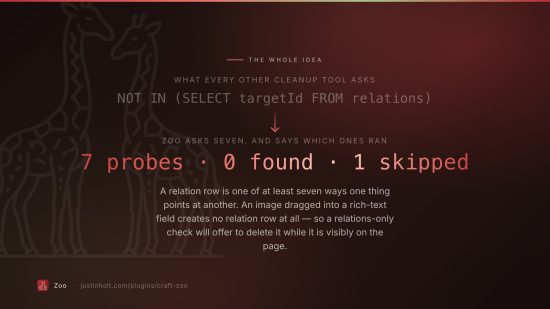
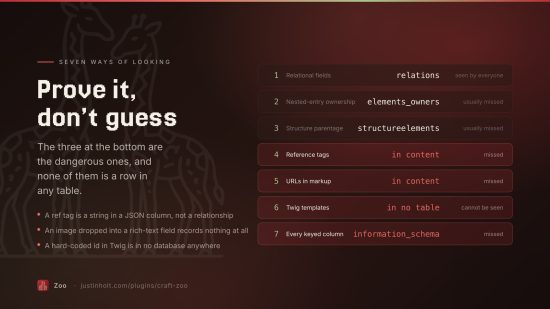
A relation row is one of at least seven ways one piece of content can point at another, and it is the only one most cleanup tools look at:
| Where it lives | What a relations-only check does with it | |
|---|---|---|
| Relational fields | relations | sees it |
| Nested-entry ownership | elements_owners | usually misses it |
| Structure parentage | structureelements | usually misses it |
Reference tags — {asset:41:url} | inside content | misses it |
Markup — <img src="/uploads/hero.jpg"> | inside content | misses it |
Templates — craft.entries.id(412) | in Twig, in no table at all | cannot see it |
| Other tables — a Commerce line item, a nav node | a foreign key into elements | misses it |
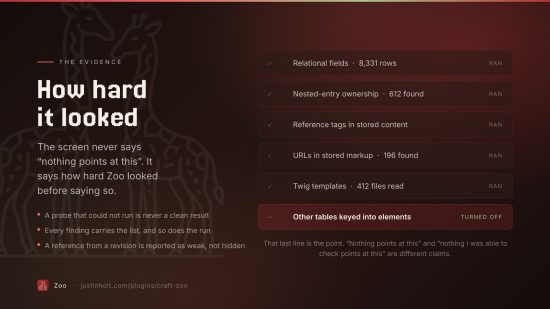
The last three are the ones that make a bulk delete dangerous, and they are exactly the three that cannot be answered by asking Craft. So Zoo reads the site's own stored content, its templates and its schema, and every finding carries the list of probes that ran:
How hard Zoo looked:
  ✓ Relational fields                  1,204 found across 8,331 rows
  ✓ Nested-entry ownership             612 found
  ✓ Structure parentage                88 found
  ✓ Reference tags in stored content   41 found
  ✓ URLs in stored markup              196 found
  ✓ Twig templates and config          7 found across 412 files
  – Other tables keyed into elements   Foreign-key scanning is turned off in settings.
That last line is the point. The screen never says "nothing points at this" — it says exactly how hard Zoo looked before saying so, and a probe that could not run is shown as a probe that could not run rather than being allowed to look like a clean result.
The foreign-key trick
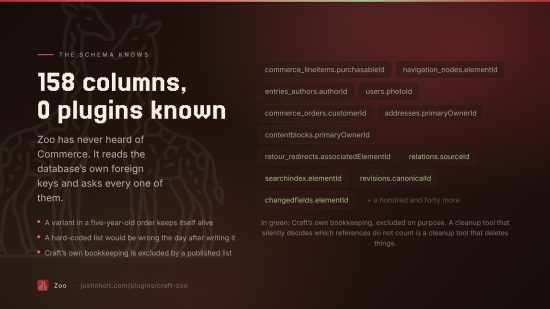
Zoo does not keep a list of which plugins hold element IDs. It reads information_schema for every
column with a foreign key into elements and asks each one.
On a plain Craft install that is a couple of dozen columns. On a site with Commerce, Formie,
Navigation and SEOmatic it is over a hundred and fifty — including
commerce_lineitems.purchasableId, navigation_nodes.elementId and every custom plugin table
nobody remembered to mention. A hard-coded list would have been wrong the day after it was written.
Craft's own bookkeeping is excluded by an explicit list — searchindex, changedfields,
revisions, drafts and the rest — which is published on the settings screen rather than being a
quiet decision made in a private method.
The enclosures
| Audit | What it finds |
|---|---|
| Unused assets | Files nothing refers to, by relation, reference tag, URL or filename |
| Unreferenced entries | Entries nothing points at, with no URL of their own |
| Orphaned nested entries | Matrix and content blocks whose owning element is gone or trashed |
| Abandoned drafts | Autosaved drafts nobody went back to, and drafts of deleted entries |
| Empty categories | Categories with nothing filed under them and no children |
| Unused tags | Tags nothing is tagged with |
| Empty asset folders | Folders with no files and no subfolders |
| Dormant users | Accounts never logged into, that no other table names |
| Dangling relations | Rows pointing at elements that no longer exist |
| Fields in no layout | Fields no layout, no other field's settings and no template mentions |
| Unused entry types | Entry types no section uses and no entry was ever created with |
The last three, plus dormant users and empty folders, are off by default: what they delete is project config or an account rather than content.
Deleting, safely
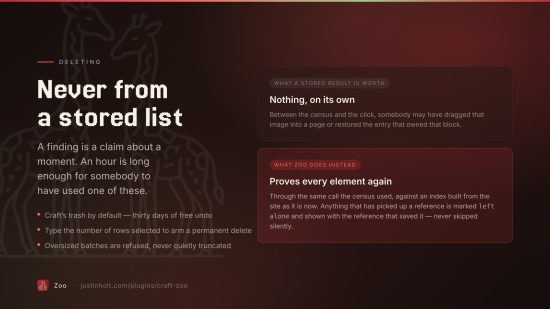
Nothing is deleted on the strength of a stored result.
A finding is a claim about the site at the moment the census ran. Between then and now somebody may
have dragged that image into a page or restored the entry that owned that block — so every element
is proved again, immediately before it goes, against an index built from the site as it is now.
That check runs through the same References::inbound() call the census used, because a preview
that builds its own query is a preview of a different deletion.
Four more things stand between a click and a permanent delete:
- The trash by default. Craft keeps soft-deleted elements until
softDeleteDurationelapses. That window is the real safety net and it costs nothing to keep. - A stamp check. If the element has been edited since the census, the delete is refused. An asset re-uploaded over the top of an unused one is a different file, and the census was not about it.
- Typed confirmation. A permanent delete is armed by typing the number of things selected — a number cannot be typed without having read how many rows are ticked, and a fixed word becomes muscle memory inside a week.
- A backup. Taken immediately before the first permanent delete in a batch, path recorded on the run. If the backup fails, the delete does not happen.
Batches larger than the limit are refused, not truncated. A silently shortened delete looks exactly like a completed one.
The keep list
Every site has content that is meant to be unreferenced — a press-kit PDF linked only from an email campaign, an entry a third-party integration fetches by handle. Mark it kept, with a reason, and no census reports it again.
The reason is required. A keep list of bare IDs is one nobody can audit, and in a year it is indistinguishable from a bug.
From the console
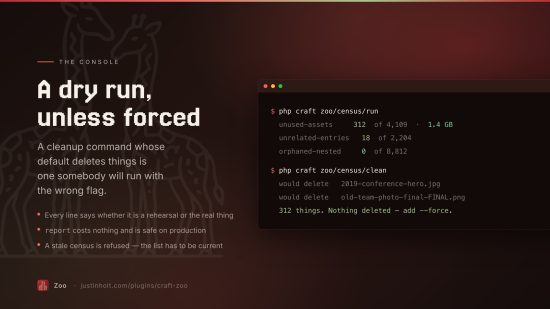
php craft zoo/census/run                    # take a census, print what it found
php craft zoo/census/report                 # print the last one without taking a new one
php craft zoo/census/audits                 # list the enclosures and which are on
php craft zoo/census/clean                  # dry run: what would be deleted
php craft zoo/census/clean --force          # actually delete, to the trash
php craft zoo/census/clean --force --purge --audit=unused-assets --limit=50
clean is a dry run unless told otherwise, and says so on every line.
In Twig
{% if craft.zoo.count > 500 %}
  <p>{{ craft.zoo.count }} things nothing points at, {{ craft.zoo.reclaimable|filesize }} reclaimable.</p>
{% endif %}
Zoo and Nuke
They are not the same plugin and they compose.
Nuke deletes what you name — a section, a volume, a group — with its drafts, revisions and relations, and sweeps the housekeeping tables on a schedule. Zoo finds what nobody named. Nuke's question is "delete all of this"; Zoo's is "what is nobody using".
Permissions
Five, not one: view the census, take one, mark things to keep, move findings to the trash, and delete permanently. The last is nested under the fourth so it cannot be granted by accident.
Documentation
https://justinholt.com/plugins/craft-zoo/docs
Licence
The Craft License. See LICENSE.md. Zoo is free: no editions, no licence key, and no licensing
code in the plugin.
To install this plugin, copy the command above to your terminal.
This plugin doesn't have any reviews.